How it works
How LegalSling reviews a contract
Upload a contract and LegalSling reads it the way a careful reviewer would: clause by clause, from both sides, checking its work against the document. Here’s what happens, and what you get.
Three steps from contract to brief
-
Upload the contract
A PDF, a Word document (.docx) or plain text, up to 20 MB, or paste the text in. Scanned PDFs work too.
-
Read the analysis
A summary with the red flags first, then every clause explained in plain English from both sides. Ask questions whenever something isn’t clear.
-
Brief your lawyer
Add your notes, then print or send a brief with the points that matter and the questions to ask.
What happens when you upload a contract
LegalSling works through a contract in four stages, and nothing is shown to you until the last one has checked the work.
- Reading the text. The words are taken from your PDF or Word document and split into numbered paragraphs. Word documents keep their automatic clause numbering, and tracked changes, comments and hidden text are noticed. Scanned PDFs are read from the page images.
- Mapping the contract. Who the parties are, what kind of agreement it is, which law governs it (with the words that say so), where each clause starts and ends, the key facts, and anything important it leaves out.
- Explaining each clause. What it says in plain English, what it means for each party, which way it leans, any red flags, the key terms, questions to ask, and general context for the governing law.
- Checking the work. Every quote must be found in your document and every paragraph reference must exist. Anything that can’t be verified is left out or marked as unconfirmed.
What you get for every clause
The same questions a careful reader asks, answered for each part of the contract.
In plain English
What the clause says and how it works in practice, in short sentences and everyday words. Legal terms are explained where they appear.
What it means for each side
A separate note for each party, so you can see what the clause gives them and what it asks of you.
Which way it leans
Whether the clause favours one side, is balanced, or is neutral, such as a clause that only sets out definitions.
Red flags
Terms that are markedly one-sided, unusual for this kind of agreement, or that may go further than the governing law commonly allows.
Worth a look
Terms that are common but deserve a question, such as a short notice period or a renewal that happens automatically.
Questions to ask
Neutral questions to think about or to ask your lawyer, so you know what to raise.
Red flags highlighted in the document
Each red flag says what the issue is and why it matters, and the exact words that triggered it are highlighted in the contract, so you can see the problem in context rather than take it on trust.
Read our guide to the contract red flags to check before you sign to see the kinds of terms that get flagged.
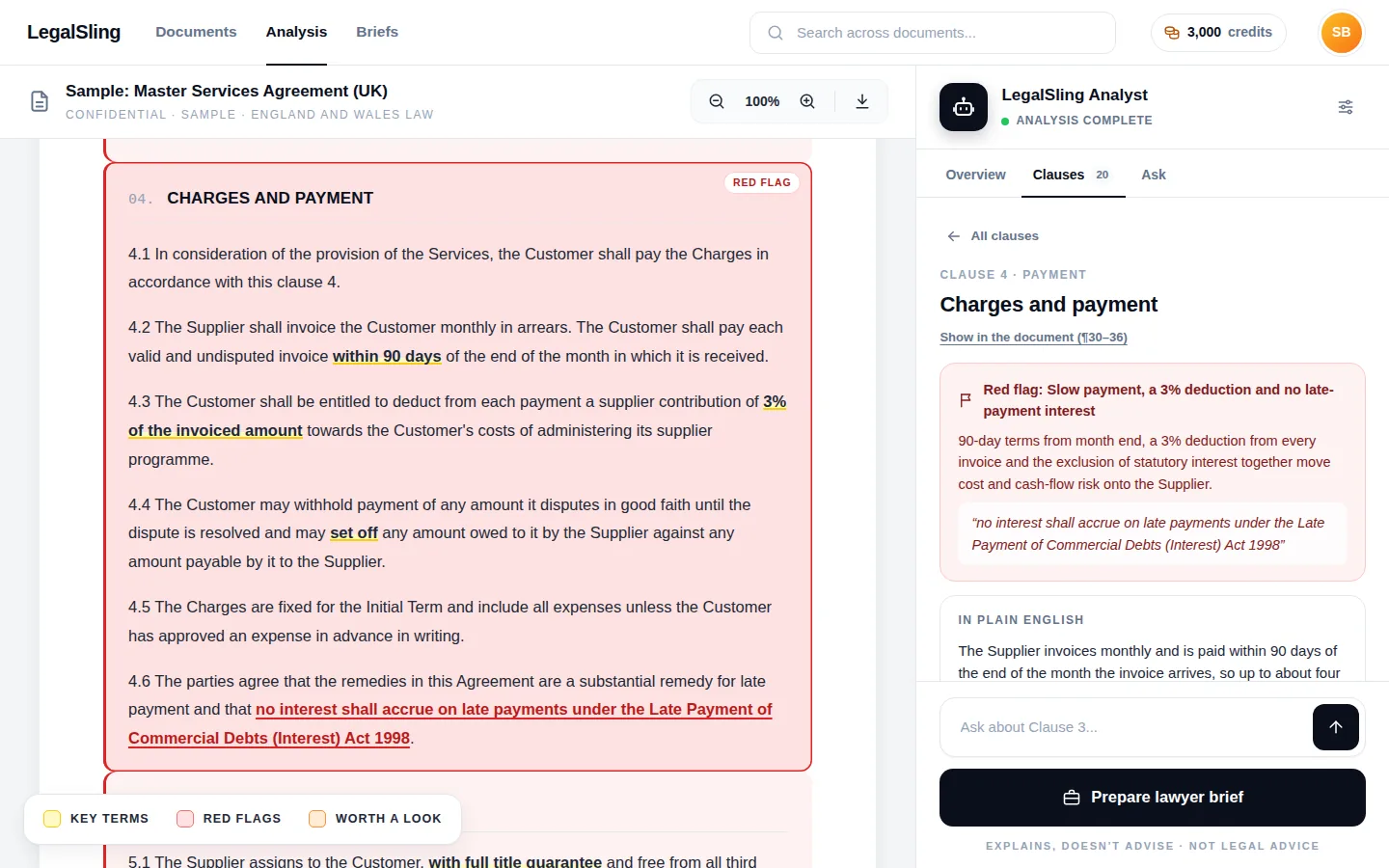
The whole contract at a glance
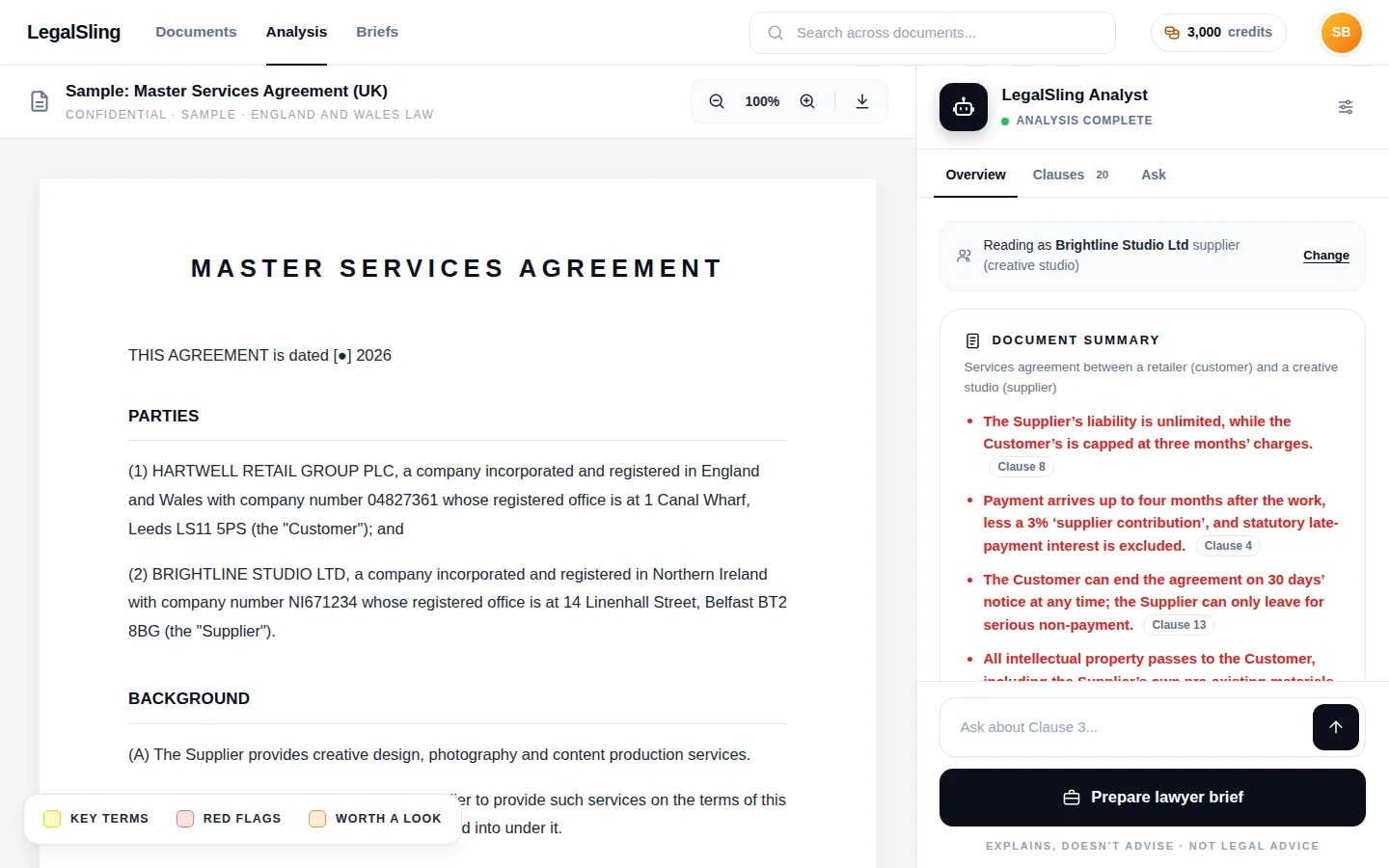
The overview starts with a short summary and the red flags in order of importance, each linked to its clause. Then come the key facts, such as how long the contract lasts, how it renews, when you’re paid and the notice periods, and anything important it leaves out.
It also points out problems with the document itself: schedules it mentions but doesn’t include, blanks and placeholders, clauses that contradict each other, and text hidden in the file or addressed to an AI reviewer.
Governing law
Taken from the contract, never guessed
Which law governs a contract can change what a clause means and whether it holds up. LegalSling only takes the governing law from the document itself: its governing-law clause, or the courts or arbitration it chooses. You see the exact words it relied on, with a link to the paragraph.
If the contract doesn’t say, LegalSling tells you it’s not stated, rather than guessing, and lists any clues, such as where the parties are registered, as clues only.
- England and Wales
- Scotland
- Northern Ireland
- EU member states
- US states
Contracts under other laws are still explained, with general context only.
Make it yours
The analysis is objective. These let you focus it on what matters to you.
Which side are you on?
Say which party you are and LegalSling marks what counts against you. Every clause is still explained for both sides.
Ask about the contract
Ask questions in your own words. Answers come only from the document, with links to the paragraphs they rely on, and say so when the contract doesn’t cover something.
Add your own notes
Note what you want to change, what you were told in a meeting or what worries you, clause by clause. Your notes go into the brief.
The lawyer brief
Spend your lawyer’s time on advice
When a contract matters, a lawyer’s advice is worth having. The brief means they start from a clear picture of the contract and of what you need, instead of building one from scratch on your time.
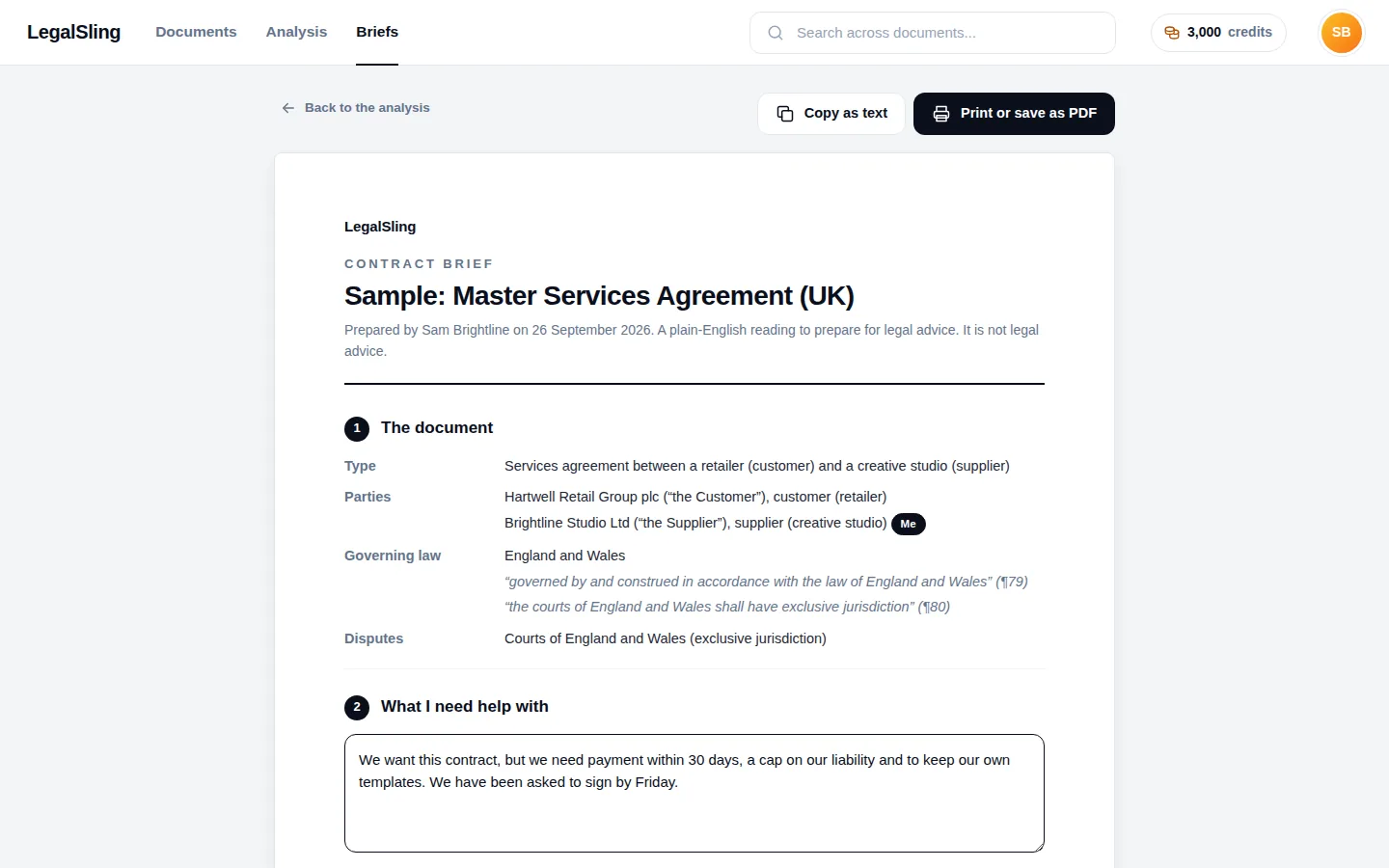
- The parties, the type of agreement and the governing law, with quotes
- What you need help with, in your own words
- Red flags, points worth checking and your notes, clause by clause
- Questions to ask, and what the contract leaves out
- Print it, save it as a PDF or copy it into an email
Our guide on how to brief a lawyer on a contract explains how to get the most from that conversation.
How LegalSling checks its work
AI is good at reading, but it can be confidently wrong. These checks are there so you can trust what you see, and see what to check yourself.
Every quote is found in your document
The words shown for the governing law, each red flag and each key term are looked up in the contract’s text. A quote that can’t be found isn’t shown as fact.
Every reference points somewhere real
Paragraph references must exist, and clauses can’t overlap, so each point links to the right place in the document.
“Not stated” instead of a guess
If the contract doesn’t say something, such as which law applies, you’re told so. Clues are labelled as clues.
The document is read, not obeyed
A contract is treated as text to explain, never as instructions. If it contains text aimed at an AI reviewer, such as a hidden request to call the contract fair, that’s flagged as a warning.
What LegalSling is, and what it isn’t
LegalSling explains what a contract says and points out things to discuss. It doesn’t tell you whether to sign, what to negotiate or what to do. It isn’t a law firm, it doesn’t give legal advice, and using it doesn’t create a lawyer–client relationship. It can miss things or get things wrong, so check anything important with a qualified lawyer.
The best way to use it: read the analysis, add your notes to the clauses that matter to you, then send your lawyer the brief.
Frequently asked questions
How long does an analysis take?
It depends on the length of the contract and whether it’s a scan, which has to be read from the page images first. You can watch its progress, and the analysis carries on if you close the page, so you can come back to it later.
Can it read a scanned contract?
Yes. Scanned PDFs are read from the page images before the analysis starts, so a signed, scanned copy works. It uses a few more credits than a PDF or Word document with text in it, because of that extra reading.
Will it tell me whether to sign?
No. LegalSling explains what the contract says, what it means for each side, and which terms may go too far. It doesn’t tell you whether to sign, what to negotiate or what to do. That’s a decision for you, ideally with advice from a lawyer on the points that matter.
How accurate is it?
It’s careful, but not perfect. Every quote is checked against your document, every paragraph reference must exist, and the governing law is never guessed. But AI can misread context or miss something, so treat the analysis as a first reading, and check anything important with a qualified lawyer.
What does “which side are you on” do?
If you tell LegalSling which party you are, it marks the points that count against you. The analysis itself stays neutral: every clause is still explained for each side. You can change your answer or leave it blank.
What’s in the lawyer brief?
The document’s details and governing law, what you need help with in your own words, the red flags and points worth checking, your notes on each clause, questions to ask, and what the contract leaves out. You can print it, save it as a PDF or copy it into an email.
Know what you’re signing
Upload a contract and get a plain-English review with red flags and a brief for your lawyer. 3,000 free credits to start, no card needed.